

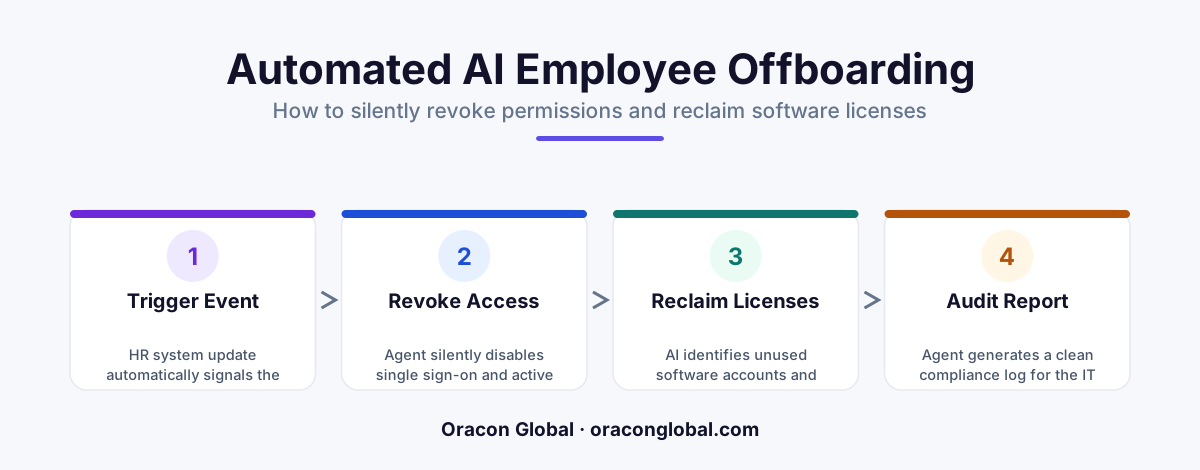
An AI-native offboarding agent integrates directly with your HRIS, identity providers, and SaaS platforms to track departures. It silently revokes system permissions, transfers file ownership, and reclaims software licenses without requiring manual work from your IT team.
When an employee leaves a company, a quiet race against time begins for the IT department. System access must be revoked, hardware must be secured, and expensive software licenses must be reclaimed. In most organizations, this process relies on a manual, multi-step checklist. A single missed step can lead to orphaned accounts, active permissions for former staff, and hundreds of dollars in wasted subscription fees every month.
Building an automated IT offboarding agent solves this problem. By using an AI-native system, businesses can silently and safely coordinate the entire departure process. The agent works in the background, communicating with identity providers, checking license inventories, and ensuring that no security loopholes are left open. Here is how to build a production-grade AI offboarding system that handles departures without requiring manual intervention from your IT staff.
The Hidden Security and Financial Costs of Manual Offboarding
Most businesses treat offboarding as a low-priority admin task. However, leaving access active for even a few days after an employee departs poses significant operational risks. Security teams refer to these unmanaged access points as orphaned accounts, and they are prime targets for security breaches.
Beyond security, there is a direct financial leak. When an employee leaves, their seats on platforms like Salesforce, Microsoft 365, or specialized design and engineering tools often sit idle. Because IT teams are busy, these subscriptions continue to bill the company month after month. An intelligent agent acts as an automated custodian, ensuring that permissions are stripped and licenses are returned to the pool the moment an employee's status changes.
How the AI-Native Offboarding Agent Architecture Works
To revoke permissions autonomously and reclaim software licenses safely, the AI agent cannot rely on simple, rigid scripts. It needs to understand context, handle API rate limits, and make decisions based on the departing employee's role. The architecture of a production-ready offboarding agent consists of three main layers.
1. The HRIS Trigger and Verification Layer
The workflow begins when an HR platform, such as Workday or BambooHR, registers a change in employment status. The agent receives a secure webhook notification and immediately initiates a verification sequence. It queries your primary identity directory, like Microsoft Entra ID or Okta, to confirm the user's active status, department, and current group memberships.
2. The Dependency and Ownership Mapping Engine
Before deleting or suspending an account, the agent must map the employee's digital footprint. Deleting an account outright can cause critical business disruptions if that account owns shared files, active calendar invites, or API keys used in active workflows. The agent scans your cloud storage and code repositories to identify document ownership, flagging critical assets that need to be transferred.
3. The Deterministic Execution Engine
Once the dependencies are mapped, the agent executes the offboarding checklist. To prevent errors, this engine operates on strict, deterministic rules rather than creative AI generation. The agent calls APIs to disable login credentials, transfer file ownership to a designated supervisor, and downgrade or remove software licenses across your entire SaaS stack.
Step-by-Step Guide to Building the Offboarding Agent
To deploy an agent that manages IT workflow automation safely, you need to follow a structured development path that prioritizes security and state management.
- Establish Secure API Connections: Connect the agent to your identity provider and core SaaS platforms using secure OAuth credentials. Use a dedicated service account with the absolute minimum privileges required to manage users and licenses.
- Build the File and Asset Transfer Protocol: Design the agent to locate all files, shared drives, and databases owned by the departing user. The agent should automatically assign these assets to the employee's manager and log the transfer in your internal ticketing system.
- Implement License Recovery Rules: Configure the agent to check active subscription pools. If a license can be unassigned and saved, the agent removes the user from the group and updates your license management ledger to show that a seat has been reclaimed.
- Develop the Shadow Logging System: Every action the agent takes must be logged. Create an immutable audit trail showing exactly when an account was suspended, which files were transferred, and which licenses were freed. This ensures your compliance teams always have complete visibility.
Ensuring Security with Hardcoded Safety Guardrails
Giving an AI agent the authority to delete accounts and revoke access requires strict guardrails. You do not want a system glitch to accidentally lock an active executive out of their email. To prevent this, the agent should be built with built-in safety boundaries.
First, implement an identity exclusion list. High-privilege accounts, administrative logins, and executive profiles should require a manual human approval gate before any changes are made. Second, the agent should operate on a state machine that tracks each step of the process. If an API call fails while removing a user from a specific platform, the agent should pause that branch, log the error, and retry safely without interrupting the rest of the offboarding sequence.
Operational Tip: Always run your offboarding agent in a dry-run or shadow testing mode first. Let the agent build the offboarding plan and email it to your IT manager for review. Once you trust the agent's accuracy over several weeks, you can flip the switch to autonomous execution.
Streamline Your IT Operations with Custom AI Agents
Manual offboarding is a friction point that costs businesses time, money, and security peace of mind. By shifting to an AI-native digital employee, your IT team can step away from administrative checklists and focus on high-leverage infrastructure work.
At Oracon Global, we build custom AI agents, workflow automations, and enterprise platforms tailored to your operational needs. Our senior in-house team designs secure, resilient systems that integrate directly with your legacy software and modern APIs, and you retain 100% ownership of the code and intellectual property. If you are ready to automate your operational bottlenecks, contact Oracon Global today to discuss your project.
Frequently asked questions
How does the AI agent know when an employee is leaving?
The agent monitors your primary HR platform or identity directory via secure webhooks, triggering the offboarding workflow instantly when a status change is detected.
What happens to files owned by the departing employee?
The agent follows deterministic rules to transfer ownership of documents, repositories, and shared drives to a designated manager before closing the account.
How do we prevent the AI from accidentally offboarding the wrong person?
We build a strict validation layer that cross-checks employee IDs across multiple databases and requires manual approval for executive or high-privilege accounts.
Can this agent reclaim licenses from desktop software?
Yes, the agent connects with mobile device management tools and cloud portal APIs to release licenses and wipe corporate data from physical devices.
Read next
Beyond Chatbots: How to Build AI Agents That Actually Do Work for Your Business
Most businesses use AI to answer questions. Here is how to build custom AI agents that actually take action, connect to your internal tools, and handle complex workflows.
Beyond the Wrapper: How to Build Custom AI Agents for Business That Actually Work
Many businesses invest in basic AI wrappers only to find they lack the security and context needed for real work. Here is how to build custom AI agents that integrate deeply with your workflows and databases.
Enterprise AI Maintenance Costs: Budgeting for Year Two and Beyond
Building an AI system is only half the battle. Discover the practical, ongoing operational costs of enterprise AI, including token management, model drift, and continuous security audits.
Oracon Global builds production-grade AI agents, automation and apps — and you own the code and IP. Tell us what you want to automate.
Book a call →See our work