

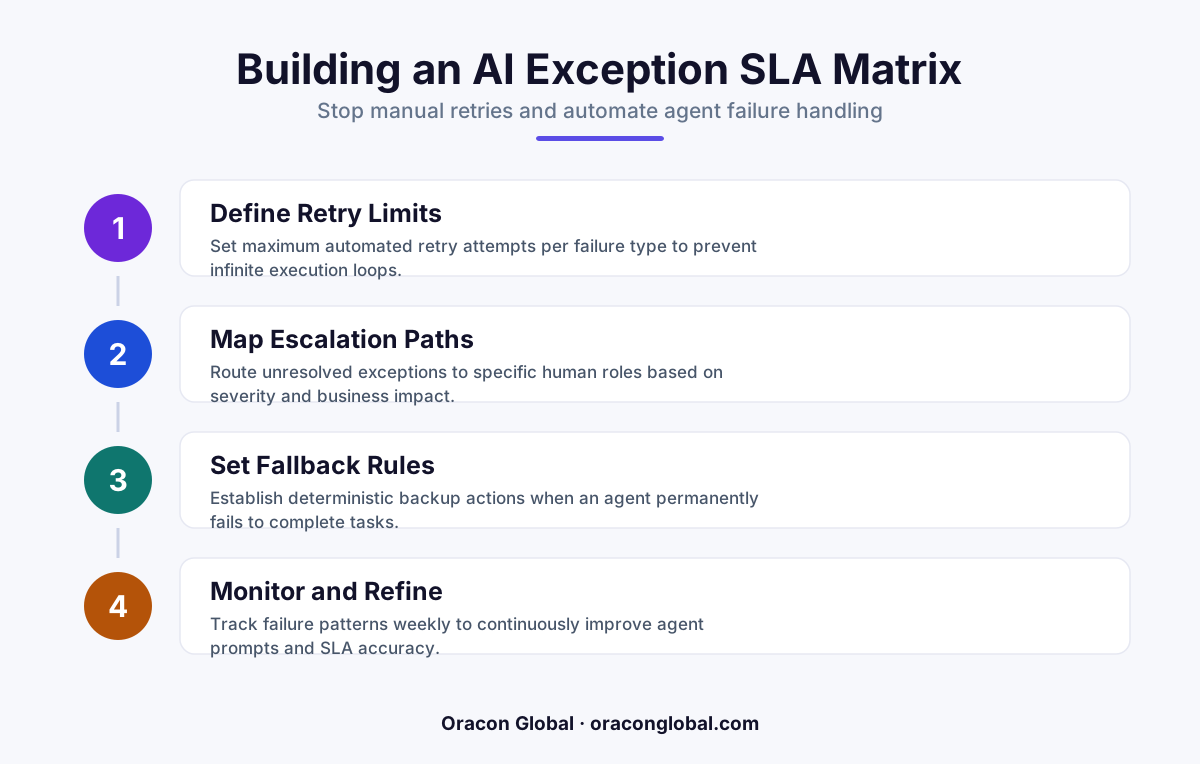
When autonomous AI agents encounter unexpected schema changes or third-party API timeouts, ops teams often spend hours manually copy-pasting inputs to retry failed runs. An AI exception SLA matrix replaces manual babysitting with clear tier-based rules for retries, deterministic fallback scripts, and timed human escalations.
When autonomous AI agents work, they feel like magic. They parse incoming documents, update records in legacy ERP systems, and route customer requests in seconds. But when an agent encounters an unhandled edge case, a changed vendor payload, or an API timeout, that magic disappears. Ops teams suddenly find themselves spending hours copying inputs, adjusting prompts, and manually retrying failed autonomous agent workflows just to keep daily operations moving.
This manual babysitting completely undermines the ROI of deploying AI digital employees. Instead of focusing on high-value strategy, your team becomes a human retry buffer. To break this cycle, operations leaders need a formal AI exception SLA matrix—a operational blueprint that dictates exactly how, when, and by whom a failed workflow is handled without creating operational bottlenecks.
The Problem with Manual AI Retries
When an autonomous workflow fails, the knee-jerk reaction for many teams is to hit "re-run." If that fails, an operations specialist opens the original payload, fixes a minor formatting error, and submits it again. This manual approach creates three major operational risks:
- Unbounded Labor Costs: Highly paid team members waste time doing repetitive, low-level data repair work that should be handled by automated rules.
- Undetected Root Causes: Manual fixes bypass systematic logging. If an ops team member silently fixes bad JSON, engineering never learns that an upstream API changed its schema.
- Process Bottlenecks: Unhandled exceptions sit in unmonitored dropboxes or Slack channels, blowing past client service level agreements (SLAs) while waiting for a human to notice them.
Robust AI workflow error handling requires moving away from ad-hoc troubleshooting toward structured, policy-driven exception management.
What Is an AI Exception SLA Matrix?
An AI exception SLA matrix is a rulebook that categorizes agent errors based on business impact and error type. Rather than treating every failure as a urgent task for your ops team, the matrix maps each error state to a specific automated resolution path, a retry ceiling, and a timed escalation target for human interventions.
Instead of hoping your team catches failed runs, the system enforces a strict schedule: attempt automated retries under strict parameters, route to a secondary smaller model if reasoning fails, and only notify a human when specific deterministic boundaries are crossed.
Building Your Matrix: The Four Severity Tiers
To design an effective matrix, start by grouping potential agent failures into four distinct operational tiers. Each tier carries its own response time, escalation path, and automated fallback rule.
Tier 1: Transient System Failures
These are temporary technical glitches, such as third-party API rate limits (HTTP 429), gateway timeouts, or minor cloud provider drops. They require zero human intervention.
- Automated Action: Exponential backoff retry with jitter (maximum 3 attempts over 15 minutes).
- Target Resolution SLA: 15 minutes (fully automated).
- Fallback: Route to Tier 2 queue if unresolved after final attempt.
Tier 2: Schema and Format Discrepancies
The AI model receives valid data, but the structure doesn't match expected fields—for example, a vendor PDF includes a new line-item header or an address missing a postal code.
- Automated Action: Route the payload through a strict deterministic JSON sanitizer layer or a secondary schema-correction agent designed specifically for payload translation.
- Target Resolution SLA: 1 hour.
- Human Escalation Target: Low-priority review queue if auto-formatting fails twice.
Tier 3: Business Logic and Ambiguity Exceptions
The AI agent processes the payload successfully, but the resulting action violates a core business rule. Examples include an invoice total exceeding auto-approval limits or a customer request with conflicting instructions.
- Automated Action: Halt write actions immediately. Draft a proposed payload and route it directly to an operational approval dashboard.
- Target Resolution SLA: 4 hours.
- Human Action: Single-click approve, reject, or edit via a structured human-in-the-loop interface.
Tier 4: High-Risk Safety and Compliance Halts
The agent detects potential prompt injection attacks, extreme data anomalies, or security boundary violations (e.g., trying to access unauthorized database tables).
- Automated Action: Immediate workflow lock, token revocation for that session, and cryptographic logging of the payload.
- Target Resolution SLA: 15 minutes (Human intervention required).
- Escalation Path: Direct alert to IT Security and Ops Management simultaneously.
Implementing Automated Retries and Fallbacks
Building the matrix on paper is only the first step; your system architecture must enforce it programmatically. Effective automated AI retries rely on combining state machines with semantic router layers.
When an agent fails, the execution pipeline should record the exact state in a persistent local buffer. If the error is transient, an event broker reschedules the job automatically. If the failure involves model hallucination or bad formatting, the system passes the task to a lightweight deterministic fallback script that applies hardcoded defaults rather than calling an expensive frontier LLM repeatedly.
By enforcing a strict ceiling on automated retry attempts, you protect your infrastructure budget from runaway API costs while guaranteeing that stuck jobs never linger invisibly in the pipeline.
Designing Zero-UI Exception Queues for Ops Teams
When an error finally reaches a human operator, do not force them to inspect raw JSON or re-run terminal scripts. This is where most teams lose efficiency.
Instead, route Tier 3 and Tier 4 exceptions to a specialized, zero-UI action queue. The interface should present three things clearly:
- The Raw Input vs. Proposed Output: Show exactly what data the agent received and what action it wanted to execute in your ERP or CRM.
- The Exact Failure Reason: Display clear error messages like "Invoice amount ($12,500) exceeds auto-approval threshold ($10,000)" rather than generic system crash logs.
- Deterministic Veto Controls: Provide clear visual buttons for "Approve Override," "Modify Payload," or "Discard Job."
When your ops team resolves an issue through this action queue, the correction should automatically update the context memory cache. This ensures the system learns from human intervention without requiring constant prompt rewrites.
Stop Babysitting Your AI Agents
Autonomous agents are built to scale your operational capacity, not to give your operations team a new list of manual tasks. Implementing a clear AI exception SLA matrix turns unpredictable agent failures into manageable, measurable workflows.
At Oracon Global, our senior in-house development team designs enterprise AI digital employees, custom web and mobile apps, and robust state-machine architectures equipped with automated fallback systems. We ensure your team maintains full control over business logic while eliminating manual retry loops entirely—and you own 100% of the IP and code we build.
Ready to turn your brittle AI workflows into reliable enterprise automation? Explore our live AI demos at Oracon Global or reach out to our team today to review your application architecture.
Frequently asked questions
What is an AI exception SLA matrix?
It is a structured operational framework that categorizes AI workflow failures by severity, assigning specific retry limits, automated fallback actions, and timed response targets for human operations teams.
Why shouldn't ops teams manually retry failed AI agent workflows?
Manual retries waste expensive operational time, introduce human data-entry errors, create untracked workflow backlogs, and conceal underlying system bugs that cause repeated failures.
How does an AI exception SLA matrix differ from normal API error handling?
Standard API error handling usually focuses on technical HTTP codes like 500 or 429. An AI SLA matrix addresses semantic failures, model hallucinations, context parsing errors, and business-logic edge cases.
What happens when an AI exception exceeds its assigned SLA timeframe?
The system automatically triggers a deterministic fallback action, such as reverting the transaction, routing the payload to a safe human review queue, or applying a hardcoded default rule to prevent process bottlenecks.
Read next
Beyond Chatbots: How to Build AI Agents That Actually Do Work for Your Business
Most businesses use AI to answer questions. Here is how to build custom AI agents that actually take action, connect to your internal tools, and handle complex workflows.
Beyond the Wrapper: How to Build Custom AI Agents for Business That Actually Work
Many businesses invest in basic AI wrappers only to find they lack the security and context needed for real work. Here is how to build custom AI agents that integrate deeply with your workflows and databases.
Enterprise AI Maintenance Costs: Budgeting for Year Two and Beyond
Building an AI system is only half the battle. Discover the practical, ongoing operational costs of enterprise AI, including token management, model drift, and continuous security audits.
Oracon Global builds production-grade AI agents, automation and apps — and you own the code and IP. Tell us what you want to automate.
Book a call →See our work