

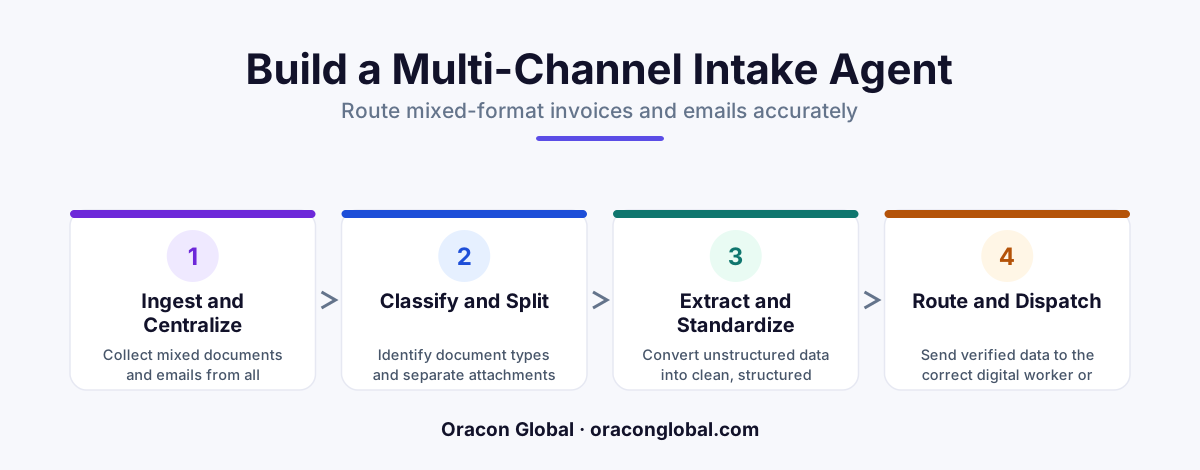
When mixed-format emails, text, and PDF attachments land in a single shared inbox, standard classification scripts fail, leading to misrouted operational data. By building a dedicated multi-channel intake agent that separates file validation, layout-aware OCR, and semantic classification into distinct steps, companies can reliably route complex documents to the correct digital employees without manual intervention.
When operations teams introduce AI digital employees to handle tasks like accounts payable or customer ticketing, they expect immediate efficiency gains. However, a major bottleneck quickly appears: the shared inbox. On any given morning, a single company inbox receives a chaotic mix of unstructured emails, clean digital PDFs, scanned mobile-phone photos of receipts, and complex multi-page invoices with inline spreadsheets.
When you try to feed this mixed-format stream directly into your downstream AI agents, things break. A billing agent receives an unparsed customer complaint. A customer support agent gets a raw invoice file. The result is a cycle of misrouted tasks, stalled processes, and frustrated human operators who must step in to clean up the mess. To solve this, you need a custom multi-channel intake agent that acts as a highly intelligent, deterministic sorting hat for your business data.
The Hidden Cost of Misrouting Mixed-Format Data
Most basic automation setups rely on simple keyword matching or rigid, rule-based file routers. If an email contains the word "invoice," the system routes it to the accounting queue. But what happens when a customer emails your billing address to ask for a refund, attaching a screenshot of an error message? The keyword router sees "invoice" in the system footer, identifies an image attachment, and routes a support query to the accounts payable agent.
This failure points to a deeper issue: AI document routing requires more than just reading keywords. It demands an understanding of intent, context, and file structure. When mixed-format invoice processing is handled poorly, your expensive downstream models waste tokens processing irrelevant files, API costs spike, and operational latency increases. A dedicated intake agent stops this waste at the entry point, ensuring every piece of incoming data is cleaned, structured, and sent to the right destination.
Step 1: Build the Multi-Channel Ingestion and Validation Gate
An intake agent should never pass raw, unverified files directly to a large language model (LLM). Doing so is a recipe for high latency, security risks, and inflated API bills. Instead, the first layer of your custom architecture must be a strict ingestion and validation gate.
This gate performs three essential tasks before any AI models are called:
- File Type Standardization: Converts incoming formats (such as HEIC mobile images, PNGs, and legacy DOCX files) into clean, standardized formats like PDF or plaintext.
- Metadata Extraction: Pulls transactional metadata from the communication channel, such as the sender’s email domain, timestamp, and subject line, which provides vital context for routing.
- Signature and Spam Filtering: Strips out useless image attachments, such as social media icons in email signatures, preventing your processing engines from analyzing junk data.
By sanitizing the incoming stream at this stage, you protect your system from processing broken files and ensure that subsequent steps work only with clean, high-value data.
Step 2: Implement Layout-Aware Parsing for Complex Documents
Once a document passes the validation gate, the intake agent must read it. For simple text emails, this is straightforward. For invoices, purchase orders, and packing slips, standard OCR (Optical Character Recognition) is not enough. Plain text extraction often turns a structured invoice table into a confusing, unstructured jumble of numbers and letters, stripping away the context the AI needs to make an accurate routing decision.
To solve this, your intake pipeline must use a layout-aware OCR engine. This technology does not just extract letters; it maps the visual coordinates of the page. It understands that a total dollar amount in the bottom right corner is linked to the table headers above it, and that a shipping address is distinct from a billing address.
By converting complex documents into structured JSON layouts or Markdown tables, you preserve the physical relationship of the data on the page. This step is critical for accurate automated email triage, as it allows your classification models to distinguish between a purchase order, a utility bill, and a shipping manifest with near-perfect accuracy.
Step 3: Define the Semantic Classification Layer
With clean text and structured layouts in hand, the intake agent can now make its routing decision. Instead of relying on rigid rules, this step uses a lightweight, highly prompt-engineered classification model to analyze the intent of the communication.
To keep latency low and costs manageable, the intake agent should not use massive, general-purpose LLMs for this step. Instead, utilize a smaller, highly optimized model trained specifically for classification tasks. The model is given a strict, closed set of routing paths and a clear schema to return.
{
 "document_type": "invoice",
 "confidence_score": 0.98,
 "primary_recipient": "accounts_payable_agent",
 "requires_human_review": false,
 "urgency": "standard"
}
If the model’s confidence score falls below a predetermined threshold (for example, 85%), the intake agent flags the file and routes it to a human-in-the-loop triage queue. This approach ensures that highly ambiguous emails never cause downstream system errors, while normal, clear-cut documents flow through the pipeline at maximum speed.
Step 4: Execute Deterministic Routing Actions
The final stage of the intake process is transition. Once the classification model outputs its structured JSON routing decision, your system must execute that decision via reliable code, not another AI prompt. The intake agent acts as a traffic controller, passing the clean data and its classification metadata directly to the appropriate downstream system API.
For example, if the document is classified as a vendor invoice, the intake agent packages the parsed JSON data and pushes it to your AI billing agent's input queue within your ERP. If the communication is classified as a complex customer delivery dispute, the agent routes the raw email thread and its parsed attachments directly to the customer support system, complete with a pre-generated summary of the problem.
By separating the intelligence of classification from the execution of the routing, you create a robust, resilient system that handles high volumes of business data without losing track of a single file.
Operational Peace of Mind for Growing Teams
Building a custom multi-channel intake agent removes the chaos from your company’s shared inbox. Instead of manual sorting or dealing with misrouted documents, your operations run on a clean, structured, and predictable flow of incoming data. This layer protects your specialized AI digital employees from processing errors, allowing them to focus on their core tasks with clean inputs.
At Oracon Global, our senior in-house team specializes in designing and building custom AI agents, automated workflows, and complex integrations that keep your business software running smoothly. We write clean, robust code, and you retain 100% ownership of your IP from day one.
If you are ready to stop manual data triage and build a secure, reliable intake pipeline for your business, get in touch with us at Oracon Global today to discuss how we can build it together.
Frequently asked questions
Why do standard LLM classification prompts fail with mixed-format inbox data?
Standard prompts try to read raw text strings without analyzing document structure or file formats first, which causes the AI to hallucinate classifications when faced with nested PDFs, raw emails, and image-based invoices in a single thread.
What is a layout-aware OCR engine and why is it necessary?
A layout-aware OCR engine reads a document by preserving its visual structure, such as tables, columns, and headers, ensuring the AI intake agent understands the relationship between data points rather than reading them as a jumbled block of text.
How does a validation gate prevent API cost spikes in multi-channel intake?
A validation gate filters out unreadable files, spam, duplicate attachments, and system signatures before sending the clean payload to the LLM, preventing unnecessary processing fees on junk data.
Can this intake agent handle both email text and attached PDF invoices simultaneously?
Yes, by processing the email body and the attachments through separate parallel pipelines before merging their metadata for a final, unified routing decision.
Read next
Beyond Chatbots: How to Build AI Agents That Actually Do Work for Your Business
Most businesses use AI to answer questions. Here is how to build custom AI agents that actually take action, connect to your internal tools, and handle complex workflows.
Beyond the Wrapper: How to Build Custom AI Agents for Business That Actually Work
Many businesses invest in basic AI wrappers only to find they lack the security and context needed for real work. Here is how to build custom AI agents that integrate deeply with your workflows and databases.
Enterprise AI Maintenance Costs: Budgeting for Year Two and Beyond
Building an AI system is only half the battle. Discover the practical, ongoing operational costs of enterprise AI, including token management, model drift, and continuous security audits.
Oracon Global builds production-grade AI agents, automation and apps — and you own the code and IP. Tell us what you want to automate.
Book a call →See our work