

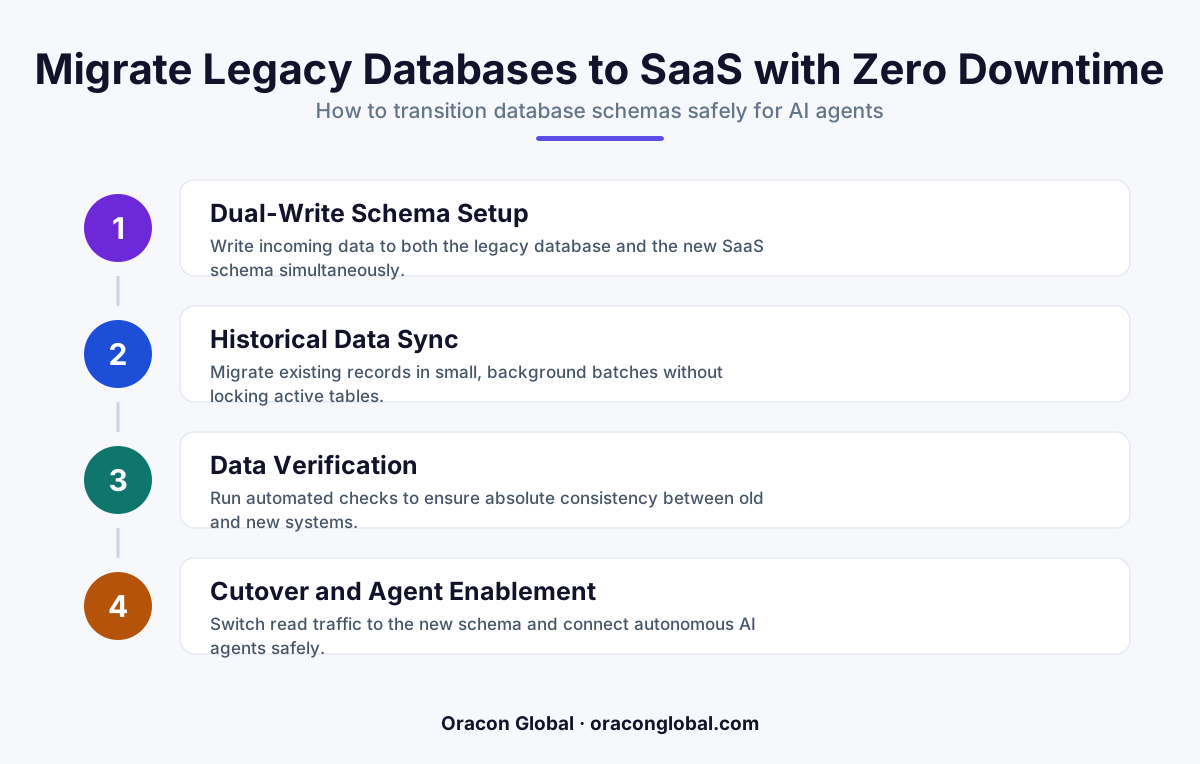
Moving legacy SaaS databases to agentic architectures requires transitioning from static relational tables to event-driven, state-tracking schemas. By building a custom dual-write migration engine with a real-time schema translation layer, you can safely migrate multi-vendor tenant data with zero system downtime.
Most multi-vendor B2B SaaS platforms running today were designed for human data entry. The database schemas are structured around static tables, strict relational foreign keys, and predictable transactional inputs. When a human user clicks a button, a single row in a table updates, and the system waits for the next manual click.
Autonomous AI agents do not work this way. An agentic SaaS architecture requires databases that can track continuous asynchronous execution states, handle event-driven work queues, store vector embeddings alongside relational data, and isolate multi-vendor tenant access levels at the database layer. Attempting to run high-volume AI digital employees on top of a rigid, legacy database schema leads to deadlocks, slow query speeds, and API timeouts.
To upgrade your SaaS platform for the agentic era, you must migrate your data layer. However, for an active multi-vendor platform, taking the system offline for a weekend database migration is not an option. You need a way to transition complex tenant schemas to agentic architectures while preserving data integrity and maintaining zero system downtime.
Why Legacy SaaS Databases Restrict AI Agents
Legacy database schemas are fundamentally ill-equipped for agentic workflows. To understand why a legacy database migration is necessary, we must look at how AI agents interact with data compared to traditional software users.
- Lack of State Tracking: Traditional databases only store the current state of a record. AI agents need to know the historical context, the intent behind a change, and the specific tool execution path that led to an update.
- No Native Vector Support: Agentic SaaS applications rely heavily on Retrieval-Augmented Generation (RAG). If your core database cannot run hybrid relational-vector queries, your agents will struggle to fetch contextual tenant data efficiently.
- Inflexible Schema Locking: Traditional SQL databases lock tables during structural updates. If an AI agent attempts to execute hundreds of parallel write operations during a schema lock, the entire platform stalls.
Transitioning to an agentic SaaS architecture means moving toward a highly decoupled, event-driven data model. This allows your AI agents to query, write, and audit data without blocking the transactional pathways used by your human customers.
The Architecture of a Zero-Downtime Migration Engine
To move your tenants from a legacy schema to an agent-ready architecture without interrupting daily business operations, you must build a custom multi-vendor migration engine. This engine acts as an intelligent intermediary between your legacy database and your new agentic data store during the transition phase.
A resilient, zero-downtime database migration engine relies on four primary structural components:
1. The Dual-Write Router
Instead of executing a direct data dump, the migration engine introduces a dual-write pipeline at the application gateway level. Every time an active tenant or API client writes data to the legacy database, the router duplicates the write operation and sends it to both the legacy and the new agentic database in parallel.
2. Real-Time Schema Translation Layer
Because the target agentic database uses a different schema structure—often incorporating JSONB event streams, vector columns, and revised tenant isolation keys—the raw legacy data cannot be copied directly. The translation layer reformats the legacy relational writes into the new event-driven structure on the fly before committing them to the target database.
3. Background Historical Sync Queue
While active writes are dual-written in real time, a background reconciliation worker systematically reads historical tenant records, translates them, and writes them to the new database. This worker runs with strict rate limits to ensure it never consumes database CPU resources needed by live users.
4. The Cryptographic Reconciliation Ledger
To guarantee that no data is lost or corrupted during the migration, the engine maintains a shadow ledger. It computes cryptographic hashes of corresponding records in both databases, flagging any discrepancies for automated resolution before the final cutover.
Step-by-Step Guide to Executing the Migration
Building and running a custom migration engine requires a methodical, multi-phase approach. Below is the blueprint our engineering team uses to execute seamless migrations for complex B2B platforms.
- Audit and Map the Target Agentic Schema: Identify where your AI agents will need to read and write state data. Design your new database with hybrid capabilities, ensuring vector indexes (such as pgvector) are integrated alongside relational columns.
- Deploy the Dual-Write Pipeline: Configure your application middleware to begin dual-writing all incoming tenant transactions. At this stage, the legacy database remains the primary source of truth, and any errors in the new database writes are caught silently in background logs.
- Backfill Historical Tenant Data: Activate the background sync queue to migrate archive data. For large multi-vendor SaaS platforms, group this migration by tenant IDs so you can migrate and verify vendors in controlled cohorts.
- Run Continuous Shadow Verification: Use your reconciliation ledger to compare the two databases over several days. The migration engine must report a 100% data match across both active writes and historical records.
- Switch Read Queries to the New Schema: Gradually redirect read traffic from your application and your AI agents to the new agentic database, monitoring performance and latency metrics closely.
- Deprecate the Legacy Database: Once read and write pathways are fully stable on the new architecture, disable the dual-write router and retire the legacy database tables.
Ensuring Strict Tenant Isolation in Agentic Architectures
In a multi-vendor B2B SaaS environment, security is paramount. When migrating to an AI-native database design, you must ensure that your migration engine preserves strict tenant isolation. Because AI agents dynamically query the database, a failure in tenant isolation could allow an agent representing Vendor A to inadvertently access or learn from the data of Vendor B.
Your migration engine must explicitly translate legacy tenant IDs into cryptographic tenant security keys at the database row level. By enforcing Row-Level Security (RLS) on the target agentic database, you create a hardware-level boundary that prevents autonomous agents from executing cross-tenant queries, even if an LLM generates a malformed query command.
Building Your Path to Agentic SaaS
Upgrading your data infrastructure is the most critical step in preparing your SaaS platform for the scale and speed of autonomous AI workflows. By decoupling your data layer and deploying a custom migration engine, you protect your active revenue lines from system downtime while unlocking the full capabilities of modern AI digital employees.
At Oracon Global, our senior in-house engineering team designs and builds high-performance custom databases, AI-native SaaS products, and resilient system integrations for companies worldwide. If you are ready to transition your legacy systems to robust, future-proof architectures, contact Oracon Global today to discuss your development needs.
===Frequently asked questions
Why do legacy multi-vendor SaaS databases fail with autonomous AI agents?
Legacy schemas are built for structured human inputs and lack the transactional state-tracking, event sourcing, and vector integration that AI agents require to execute complex multi-step workflows.
How do you prevent system downtime during a database migration?
By implementing a dual-write sync engine that writes incoming data to both the legacy database and the new agentic database simultaneously, allowing you to sync historical data in the background before flipping the switch.
What is a schema translation layer in an agentic migration engine?
It is a middleware component that intercepts database writes and translates legacy relational records into event-driven, agent-friendly structures in real time.
Do we need to rewrite our entire multi-vendor SaaS platform to support AI agents?
No. By decoupling the database migration layer using a custom migration engine, you can transition your underlying data architecture without refactoring your entire front-end or core application logic.===
Read next
Beyond Chatbots: How to Build AI Agents That Actually Do Work for Your Business
Most businesses use AI to answer questions. Here is how to build custom AI agents that actually take action, connect to your internal tools, and handle complex workflows.
Beyond the Wrapper: How to Build Custom AI Agents for Business That Actually Work
Many businesses invest in basic AI wrappers only to find they lack the security and context needed for real work. Here is how to build custom AI agents that integrate deeply with your workflows and databases.
Enterprise AI Maintenance Costs: Budgeting for Year Two and Beyond
Building an AI system is only half the battle. Discover the practical, ongoing operational costs of enterprise AI, including token management, model drift, and continuous security audits.
Oracon Global builds production-grade AI agents, automation and apps — and you own the code and IP. Tell us what you want to automate.
Book a call →See our work