

When team members edit internal business wikis, vector databases often lag behind, causing Retrieval-Augmented Generation (RAG) systems to serve outdated cached answers. To fix this, you must build an event-driven data freshener that captures wiki edits, processes document diffs, and runs targeted upserts to keep your AI grounding data perfectly accurate.
Your team relies on an internal business wiki to keep policies, standard operating procedures, and product specifications in one central location. To make this knowledge accessible, you build a custom Retrieval-Augmented Generation (RAG) system. Your AI digital employees can now answer complex operational questions instantly. It feels like magic, until it doesn't.
One morning, an operations manager updates a key shipping protocol on the company wiki. An hour later, your customer support AI agent quotes the old, retired policy to an enterprise client. The wiki page is updated, but your AI is still reading stale, cached vector data. This is the silent failure of enterprise RAG: without a real-time data freshener, your AI is only as smart as your last manual database import.
At Oracon Global, we build custom AI agents and production-grade software that solve these exact synchronization gaps. Let's look at how to build an event-driven pipeline to ensure your AI never acts on outdated wiki pages again.
The Hidden Cost of Stale Vector Databases
Most basic RAG systems rely on a batch ingestion model. Once a night, or once a week, a script crawls your company wiki, chunks the text, generates vector embeddings, and overwrites the vector database. This architecture is simple to build, but it introduces a dangerous lag. If an employee updates a critical pricing sheet or compliance guideline at 9:00 AM, your AI agent will spend the entire workday giving incorrect answers based on cached, stale data.
Simply increasing the frequency of full database crawls is not a viable solution. Running massive bulk embedding jobs every ten minutes is incredibly expensive, wastes LLM tokens, and can easily rate-limit your database. To keep your AI grounded in reality, you need an event-driven system that handles incremental updates instantly.
How a Real-Time Data Freshener Works
A real-time data freshener is a lightweight middleware layer that sits between your business wiki (like Notion, Confluence, or a custom internal portal) and your vector database. Instead of scanning everything, it only reacts when something changes.
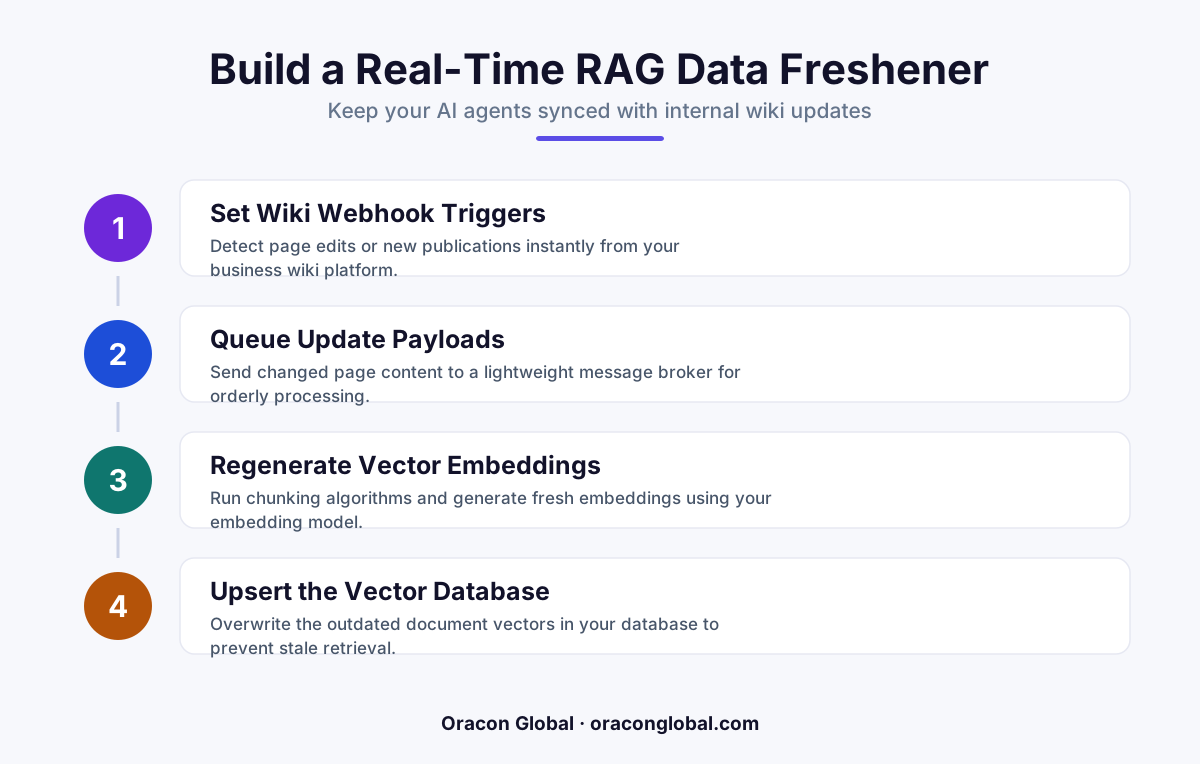
The architecture of a reliable real-time RAG update system relies on four core stages:
- The Event Listener: A webhook receiver that listens for "page updated," "page created," or "page deleted" triggers from your wiki platform.
- The Diff Parser: A processing service that compares the new version of the wiki page with the previous version to isolate exactly what changed.
- The Chunk Router: A component that maps the modified text to its exact corresponding vector chunk IDs in your database.
- The Target Upserter: A service that deletes old vector embeddings and writes new ones for only the updated sections, keeping database costs near zero.
Step 1: Capturing the Edit Event
To avoid polling your wiki database constantly, your data freshener should run on an event-driven architecture. Most modern wiki platforms allow you to configure webhooks. When an employee hits "Publish" or "Save" on a page, the wiki sends a payload to your custom webhook endpoint.
This payload must contain, at a minimum, the unique page ID, the author, a timestamp, and either the full markdown/HTML content of the page or a direct link to fetch the raw text via API.
Step 2: Processing and Chunking the Changes
Once your webhook receiver captures the edit, you should not simply erase the entire page's vectors and start over. If a wiki page is 5,000 words long and an employee only changes a single sentence, re-embedding the entire document is inefficient.
Instead, use a deterministic chunking strategy with consistent metadata tagging. Every chunk of text sent to your vector database should carry strict metadata, including:
- The source document ID (e.g., wiki-page-104)
- A chunk sequence index (e.g., chunk-0, chunk-1)
- A content hash of the text within that specific chunk
Step 3: Performing the Vector Upsert
With the changed chunks identified, your pipeline can execute targeted writes. The data freshener performs three quick database operations:
- Delete: It purges any vector chunks that no longer exist in the updated document structure.
- Upsert: It generates new vector embeddings only for the modified chunks and writes them to the database.
- Verify: It updates the document's master version state in your relational database to confirm the sync was successful.
Because you are only processing a few paragraphs of text instead of thousands of pages, this entire lifecycle takes less than two seconds. Your AI agent's knowledge remains fresh without breaking your API budget.
Handling Edge Cases in Production
Building a basic sync pipeline is straightforward, but production environments require resilience. When deploying a real-time data freshener, keep these three structural guardrails in mind:
1. Webhook Out-of-Order Execution
If two team members are actively editing the same wiki page at the same time, your webhook receiver might receive update events out of order due to network latency. If a payload representing "Version 2" is processed after "Version 3," your vector database will revert to a stale state. To prevent this, always include a monotonic version counter or a precise timestamp in your metadata. Reject any incoming webhook payload that is older than the latest timestamp recorded in your vector database.
2. Rate Limiting and Batching
If a team lead performs a bulk search-and-replace across 100 wiki pages, your system will receive 100 concurrent webhook calls. If your freshener tries to hit your embedding API and vector database all at once, you will face API rate limits. Implement an in-memory queue (such as Redis) to buffer incoming edit events. Group updates by document ID and run them through a minor deduplication window of 5 to 10 seconds before hitting your external LLM APIs.
3. Fallback Periodic Reconciliation
No webhook is 100% reliable. Network drops, API hiccups, and server maintenance can cause your middleware to miss an occasional edit event. To catch these edge cases, run a lightweight, automated reconciliation cron job once a week. This job should quickly compare the last-modified timestamps of all wiki pages against the sync metadata in your database, pulling and updating only the files that fell out of alignment.
Ground Your AI in Real-Time Truth
When you build custom AI agents, their value is directly tied to the trust your team and customers have in their answers. A single stale policy can lead to costly operational mistakes, compliance issues, and wasted human hours spent fixing automated errors. Transitioning from manual batch uploads to a real-time event-driven data freshener is what separates experimental prototypes from reliable production software.
At Oracon Global, our senior in-house team builds robust custom AI agents, custom workflows, and deep system integrations that perform reliably under real-world business conditions. We ensure you own 100% of your code and IP, so your custom architecture remains a permanent asset to your business.
Would you like to discuss how to keep your business data pipelines and AI systems perfectly aligned?
Frequently asked questions
Why do RAG systems keep reading outdated wiki pages?
Most RAG systems use static or batched document ingestion pipeline runs that only process vector embeddings once a day or once a week, leaving a massive window where the AI reads cached stale data.
What is a real-time data freshener?
It is an event-driven middleware bridge that listens for document changes in your company wiki, calculates text differences, and instantly updates only the affected vector chunks in your database.
Do we need to re-index the entire database when a wiki page changes?
No, re-indexing everything is slow and expensive. A proper data freshener uses targeted upserts and deletions based on specific document IDs to update only the modified sections.
Will this slow down our primary business wiki performance?
Not if it is built correctly. By using asynchronous webhook queues, the wiki platform handles edits instantly, while the vector processing happens in the background without affecting the user interface.
Read next
Beyond Chatbots: How to Build AI Agents That Actually Do Work for Your Business
Most businesses use AI to answer questions. Here is how to build custom AI agents that actually take action, connect to your internal tools, and handle complex workflows.
Beyond the Wrapper: How to Build Custom AI Agents for Business That Actually Work
Many businesses invest in basic AI wrappers only to find they lack the security and context needed for real work. Here is how to build custom AI agents that integrate deeply with your workflows and databases.
Enterprise AI Maintenance Costs: Budgeting for Year Two and Beyond
Building an AI system is only half the battle. Discover the practical, ongoing operational costs of enterprise AI, including token management, model drift, and continuous security audits.
Oracon Global builds production-grade AI agents, automation and apps — and you own the code and IP. Tell us what you want to automate.
Book a call →See our work