

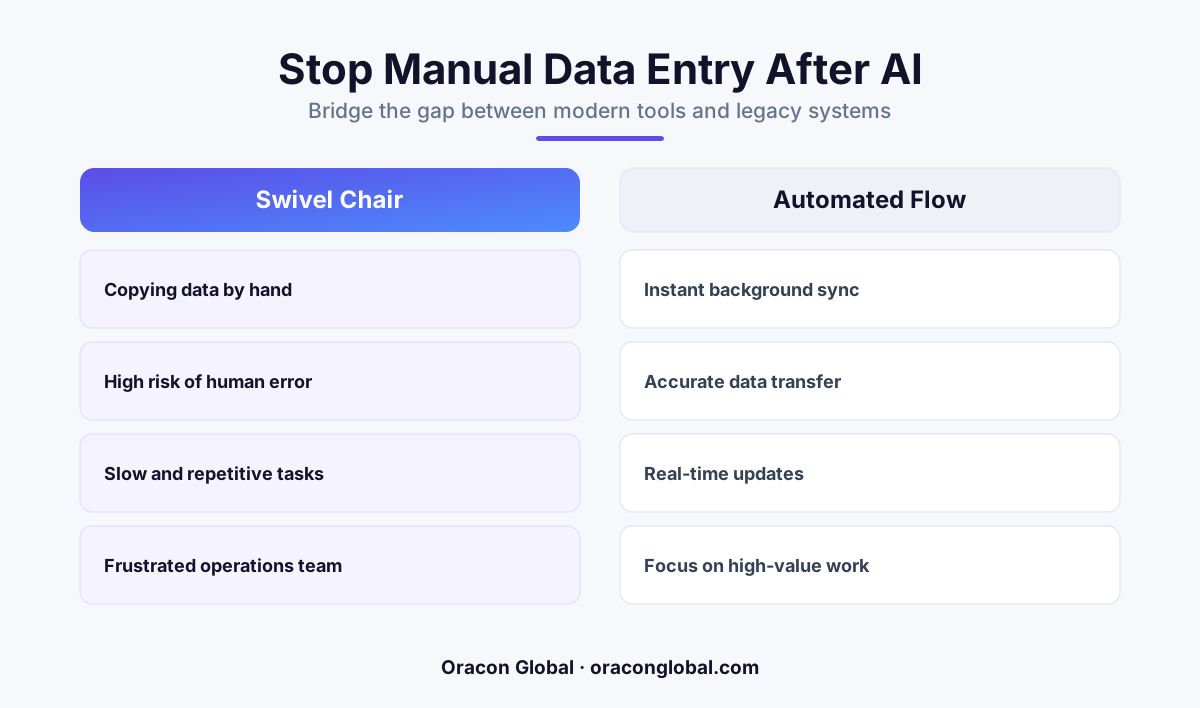
Buying out-of-the-box AI tools without custom backend integration turns your operations team into human data bridges. True efficiency requires a custom API bridge that connects AI output directly to your legacy CRM without manual steps.
Your business just invested in a sophisticated, modern AI tool. Perhaps it drafts perfectly tailored client responses, summarizes long service transcripts, or extracts structured order details from messy, incoming supplier PDFs. On paper, your team is saving hours of manual drafting.
But if you walk over to your operations department, the reality looks different. You will find smart, highly paid operators sitting in front of two monitors, manually highlighting text blocks from the AI platform, hitting Ctrl+C, switching windows to your 15-year-old legacy CRM, and hitting Ctrl+V.
This is the hidden tax of the modern software stack: the swivel-chair workflow. When you adopt new software without a dedicated legacy CRM integration, your human staff becomes the manual bridge between the future and the past. Here is why this happens, why it is costing you more than you think, and how to build a permanent, automated fix.
The Illusion of Modern Software Automation
The SaaS industry is excellent at selling point solutions. It is easy to buy a subscription to a sleek, AI-driven data extraction tool. These platforms work beautifully in a vacuum. They ingest emails, parse data, and display it on a clean dashboard.
However, the real system of record for your business remains your legacy database or CRM. Because that older system lacks native, modern connectors, the new AI tool cannot speak to it. The result is a broken business workflow automation loop.
When your operators spend half their day moving data between screens, you are not actually running an AI-driven organization. You are running a traditional, manual data entry operation that happens to use AI as an expensive drafting assistant. This setup introduces three major problems:
- Operational Bottlenecks: Your capacity to scale is still capped by human typing speed. If transaction volume doubles, you have to hire more people just to handle the copy-paste queue.
- Data Fragmentation: Important context gets lost in translation. Busy operators will naturally summarize or skip fields to save time, leaving your core database incomplete.
- High Typo Risk: Even the most diligent team members make mistakes after three hours of continuous copying, leading to broken shipping addresses, wrong billing numbers, and mislabeled client accounts.
Why Simple Plugins and No-Code Connectors Fail
The standard instinct for many operations leaders is to look for a quick fix. They search for a pre-built plugin or try to wire the systems together using basic, no-code automation platforms. While this works for simple apps, it almost always fails when trying to connect unstructured AI outputs to legacy enterprise databases.
Legacy CRMs are notoriously picky. They often require specific data schemas, strict date formats, and precise relational links between tables. A basic no-code connector does not have the intelligence to handle these requirements. If the AI outputs "July 12th" instead of "2026-07-12", the legacy database will simply reject the entire write operation, or worse, crash.
To make matters more complex, autonomous AI agents can sometimes produce unexpected formatting variations. A robust AI data pipeline must include validation and sanitization steps to ensure that whatever the AI generates is safely translated into the exact format your legacy database expects before it ever attempts a write function.
Building a Resilient, Custom API Bridge
To eliminate manual copying permanently, you do not need to replace your trusted legacy CRM. Instead, you need to build a lightweight, dedicated middleware layer: a custom API bridge.
This middleware acts as an intelligent translator between the new and the old. Here is how a production-grade integration pipeline actually works behind the scenes:
- The Capture Phase: The modern AI tool completes its task (such as parsing a client contract or summarizing a service ticket) and sends a raw data payload to your custom middleware.
- The Transformation Phase: The middleware parses the AI payload. It runs deterministic validation checks, reformats dates, sanitizes special characters, and matches unstructured text to your specific database columns.
- The Deduplication Phase: The bridge queries your legacy CRM to verify if the client or record already exists, preventing duplicate entries.
- The Secure Write Phase: The system pushes the clean, structured data into the legacy CRM via its native API or a secure database adapter, updating the records instantly.
"Real automation means your human team only looks at data when there is a flag or an exception, never to simply move characters from one text box to another."
Moving Your Team From Data Entry to Exception Management
Once a custom API bridge is in place, your operations team's daily job changes instantly. Instead of looking at every single transaction, they manage by exception.
If the AI processes 500 records, 495 of them flow directly into your legacy CRM in milliseconds without a single human click. The remaining five records—perhaps containing highly unusual edge cases or corrupted source files—are flagged and routed to a clean internal dashboard. Your team members step in only to review, correct, and approve those specific exceptions.
This shift instantly unlocks the true ROI of your AI investments. Your operational throughput increases by orders of magnitude, your data remains perfectly consistent, and your senior team members can finally focus on strategic client support and business growth rather than digital assembly-line work.
Let us Build a True End-to-End Workflow
If your team is still acting as human glue for your software systems, you are leaving efficiency and margin on the table. At Oracon Global, our senior in-house engineering team designs and builds secure, custom API integrations, AI digital employees, and robust middleware layers that connect modern AI capabilities directly to your existing systems of record. You own 100% of the custom code and IP we write for you.
Ready to replace manual copy-pasting with reliable, automated pipelines? Reach out to us at Oracon Global today to discuss how we can streamline your business workflows.
Frequently asked questions
Why can modern AI tools not write directly to my legacy CRM?
Most legacy CRMs lack the modern, structured webhooks that out-of-the-box AI tools expect, requiring custom schema mapping and API bridges to connect them safely.
Will building a custom API bridge require rewriting our entire CRM?
No, you do not need to replace your database. A lightweight middleware layer can translate and clean the AI data before depositing it securely into your legacy system.
How does manual data copying impact our business scaling?
It creates an operational bottleneck where every increase in customer volume requires hiring more staff just to handle copy-paste tasks, destroying your profit margins.
What is the risk of letting autonomous AI write to a CRM directly?
Without a deterministic parsing layer, AI might write messy, unstructured data that corrupts your CRM records or overwrites critical historical entries.
Read next
Beyond Chatbots: How to Build AI Agents That Actually Do Work for Your Business
Most businesses use AI to answer questions. Here is how to build custom AI agents that actually take action, connect to your internal tools, and handle complex workflows.
Beyond the Wrapper: How to Build Custom AI Agents for Business That Actually Work
Many businesses invest in basic AI wrappers only to find they lack the security and context needed for real work. Here is how to build custom AI agents that integrate deeply with your workflows and databases.
Enterprise AI Maintenance Costs: Budgeting for Year Two and Beyond
Building an AI system is only half the battle. Discover the practical, ongoing operational costs of enterprise AI, including token management, model drift, and continuous security audits.
Oracon Global builds production-grade AI agents, automation and apps — and you own the code and IP. Tell us what you want to automate.
Book a call →See our work