

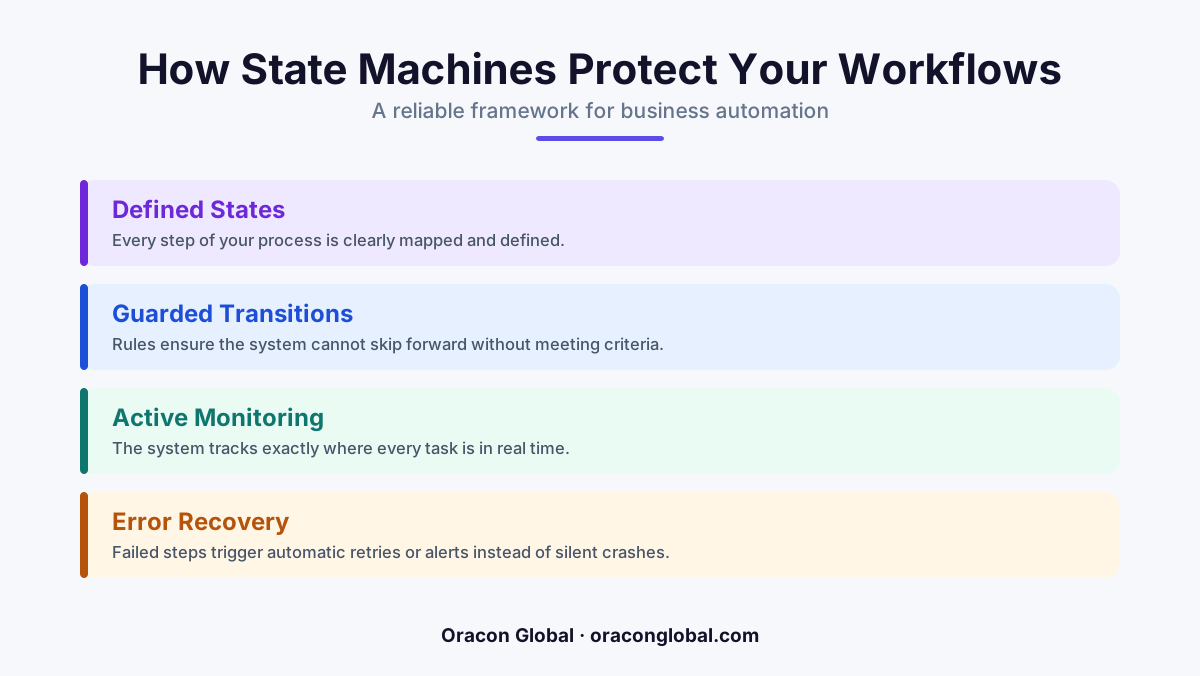
A state machine is a simple blueprint that forces business software to follow exact, step-by-step rules. It guarantees that a workflow cannot jump ahead or skip critical steps, keeping your operations safe and predictable.
Imagine ordering a custom sweater online. The store charges your card, but a sudden internet glitch cuts the connection right before the warehouse receives the order. The store has your money, but you have no receipt, and the warehouse has no idea they need to knit your sweater. This is what happens when business automation systems lose track of their steps.
When businesses automate their workflows, they often rely on simple chain reactions: when event A happens, do event B. But if the chain breaks in the middle, the system gets confused. It might skip a step, double-charge a client, or send a shipment before payment clears.
To prevent these costly errors, professional software teams use a concept called a state machine. While the name sounds highly technical, the concept is incredibly simple and acts as the ultimate safety net for your daily operations.
What Is a State Machine?
A state machine is a software blueprint that forces a process to exist in only one specific "state" at a time. It also sets strict, unbendable rules about how the process can move to the next state.
To understand this, let us define the core terms immediately:
- State: The current status of a process (for example: "Draft," "Paid," or "Shipped").
- Transition: The approved path or action that allows a process to change from one state to another (for example: clicking "Approve").
- Guard: A safety check that must pass before a transition is allowed to happen (for example: verifying a payment cleared).
Think of it like a secure turnstile at a train station. The turnstile has two states: Locked and Unlocked. It starts in the Locked state. The only way to transition to the Unlocked state is to tap your ticket. Pushing the bar before you tap does nothing because the rules of the machine do not allow that transition. Once you walk through, the turnstile immediately returns to the Locked state. It is impossible to skip a step or trick the system.
An Everyday Example: The Vending Machine
A vending machine is a perfect everyday state machine. It follows a strict sequence of states that cannot be bypassed:
- Idle State: The machine is waiting for coins. You cannot press "B4" to get your chips yet because the transition rule requires money first.
- Coins Deposited State: You insert two dollars. The machine updates its status. It now allows you to press a button.
- Dispensing State: You select your snack. The machine drops the chips.
- Transaction Complete State: The machine confirms the product dropped, delivers your change, and resets back to the Idle State.
Because of this rigid design, the vending machine cannot accidentally give you chips before you insert money, nor will it keep your money without opening the dispenser. The steps are locked together in a secure loop.
How State Machines Protect Business Automation
In workflow automation, things often go wrong behind the scenes. Websites crash, third-party software updates fail, and internet connections drop. Without a state machine, a multi-step automation is like a runner blindfolded. It runs forward, assuming every step of the track is clear, even if it just tripped over a hurdle.
Here is how a state machine changes the game for three common business scenarios:
1. Onboarding a New Client
In a standard automation chain, when a client signs a contract, the system might try to instantly create an account, send a welcome email, and generate an invoice all at once. If the invoicing system goes down for maintenance, the welcome email still goes out, but the financial step is lost forever.
With a state machine, the client's status is set to "Contract Signed." The system knows it cannot transition to "Onboarded" until the invoice is successfully created. If the invoice system is down, the client safely sits in the "Pending Invoice" state until the system comes back online and finishes the job. No steps are skipped.
2. Fulfilling an E-Commerce Order
A customer buys a product. The order state transitions to "Paid." The system then checks inventory. If the item is in stock, the state transitions to "Ready to Pack." If the item is out of stock, the state transitions to "Backordered."
The shipping label software is blocked from running unless the state is exactly "Ready to Pack." This simple guard prevents your warehouse from printing labels and shipping empty boxes for items you do not actually have in stock.
3. Managing AI Digital Employees
Today, many businesses use AI agents and digital employees to read emails, draft replies, and update databases. AI is incredibly smart, but it can occasionally make mistakes or try to take shortcuts.
By wrapping your AI agents inside a physical state machine, you give them a strict playground. The AI can draft the email (State: Drafted), but the state machine prevents the AI from actually hitting "Send" until a human supervisor reviews it and clicks approve (Transition: Human Verified). The technology provides the speed, while the state machine guarantees the safety.
Why Your Business Needs This Architecture
Building your business automation systems around state machines might take a little more planning upfront, but it saves hundreds of hours of manual cleanup later. It moves your operations team away from constantly checking if the software did its job.
Instead of waking up to find out your system skipped a billing step for fifty customers, you can rest easy knowing your software is physically incapable of moving forward until every single checkmark is green.
At Oracon Global, our senior in-house team builds custom web applications, AI agents, and enterprise automations using these reliable engineering principles. We ensure your custom software works exactly as intended, every single time, while you retain 100% ownership of your code and intellectual property.
Ready to build business automation that never skips a beat? Reach out to the team at Oracon Global to discuss your next custom software project.
Frequently asked questions
What is a state machine in simple terms?
A state machine is a piece of software logic that acts like a strict checklist, ensuring a process can only move from one approved step to the next without skipping anything.
How does a state machine prevent automation mistakes?
It blocks the system from jumping ahead. For example, it will not allow an invoice to be sent to a customer until the system confirms the shipping label has been printed.
Do I need a state machine for simple business tasks?
For basic one-step tasks, you might not. But if your process has three or more steps—like booking, paying, and shipping—a state machine keeps the data safe if a system crashes mid-way.
Can AI digital employees use state machines?
Yes. Combining flexible AI with a strict state machine ensures your AI agents think smart but operate within safe, unbendable guardrails.
Read next
Beyond Chatbots: How to Build AI Agents That Actually Do Work for Your Business
Most businesses use AI to answer questions. Here is how to build custom AI agents that actually take action, connect to your internal tools, and handle complex workflows.
Beyond the Wrapper: How to Build Custom AI Agents for Business That Actually Work
Many businesses invest in basic AI wrappers only to find they lack the security and context needed for real work. Here is how to build custom AI agents that integrate deeply with your workflows and databases.
Enterprise AI Maintenance Costs: Budgeting for Year Two and Beyond
Building an AI system is only half the battle. Discover the practical, ongoing operational costs of enterprise AI, including token management, model drift, and continuous security audits.
Oracon Global builds production-grade AI agents, automation and apps — and you own the code and IP. Tell us what you want to automate.
Book a call →See our work