

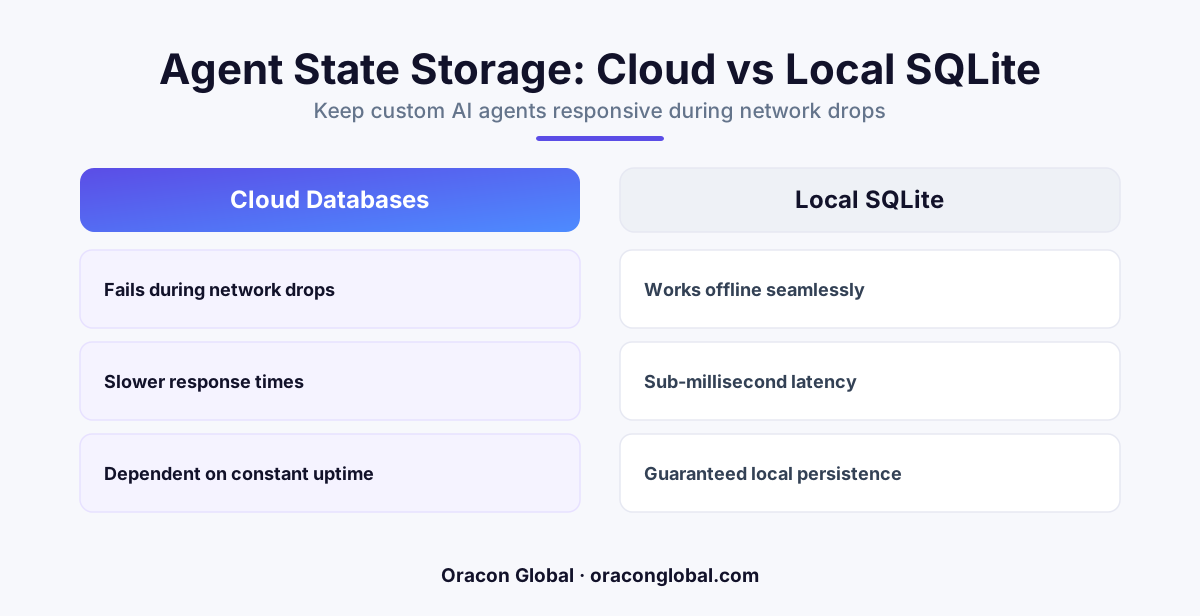
Relying solely on cloud APIs to store an AI agent's execution history leads to slow performance, high network costs, and broken sessions during connection drops. By implementing a local SQLite state storage layer directly on the user's device or edge node, developers can guarantee instant UI updates, absolute data integrity, and seamless offline functionality.
Most development teams building their first custom AI agent make a comfortable, familiar assumption: every piece of state, history, and memory must live in the cloud. They design the agent to ping a remote server for every action, saving every intermediate reasoning step directly into a central cloud database. This works beautifully in a controlled development environment on a high-speed fiber-optic connection.
In the real world, this cloud-first design quickly falls apart. When your operations team takes your custom agent-enabled mobile app into a concrete warehouse, a basement utility room, or a remote job site with spotty cellular coverage, the agent stalls. The user is left staring at a loading spinner. Even worse, if the connection drops mid-transaction, the agent loses track of where it was in a multi-step workflow, resulting in duplicate API calls or lost data. To build resilient, enterprise-grade tools, you need to rethink your data layer. The solution is moving your agent’s memory to local SQLite state storage.
The Hidden Cost of Cloud-Only Agent State
An AI agent is not a static web page; it is a dynamic state machine. To complete a task, the agent must evaluate user input, plan its next steps, call external APIs, parse the returned data, and decide if it needs to run another loop. This process generates a massive amount of micro-state data. If your application architecture forces the agent to write and read every single step from a remote cloud database, you introduce three distinct bottlenecks:
- Compounded Latency: Waiting for a database round-trip for every minor execution step makes the user interface feel sluggish and unresponsive.
- Unnecessary API Costs: Constantly fetching long execution histories and chat contexts from cloud servers rapidly inflates your bandwidth and compute bills.
- Session Fragility: Any brief drop in cellular or Wi-Fi network coverage instantly breaks the agent's reasoning loop, forcing the user to restart the entire workflow from scratch.
By shifting to an offline-first architecture powered by a lightweight local database, you bypass these limitations. SQLite is a zero-configuration, serverless SQL database engine that runs directly inside your application code. It requires no complex server setup, occupies a tiny footprint on the device, and reads data almost instantaneously.
Why SQLite is Perfect for Agentic Memory
SQLite is often dismissed as a basic utility database, but it is actually one of the most reliable, widely deployed database engines in the world. When applied to AI agent architecture, SQLite serves as a highly efficient, localized cache for complex runtime states.
1. Instant State Restorations
If a user accidentally closes your application or switches to another app, the AI agent's current progress should not vanish. With a local SQLite state storage layer, the app saves every prompt, tool execution step, and intermediate system response to the device’s local disk in real time. If the app crashes or gets terminated by the mobile operating system, it can read the local database on startup and restore the agent to the exact millisecond before the disruption occurred.
2. True Offline-First Capability
For field operations, logistics, and industrial maintenance, reliable internet is a luxury. When you build with an offline-first mindset, your local AI agent can still take user requests, queue up actions, and run local heuristic checks. Once a stable network connection is re-established, a dedicated synchronization worker pushes the accumulated SQLite transaction logs back to your main cloud database, keeping your centralized systems perfectly in sync without interrupting the user.
3. Local Vector Search at the Edge
Modern applications frequently use retrieval-augmented generation (RAG) to ground AI responses in local business documents. Instead of sending every query to a remote vector database, developers can use vector extensions for SQLite to run local vector search queries directly on the client device. This allows your mobile or desktop application to search through stored manuals, client files, or product catalogs completely offline, saving server costs and delivering search results in milliseconds.
Implementing Local SQLite State: Best Practices
Transitioning from a cloud-only model to a hybrid, localized architecture requires careful planning around how data flows between the client device and your central servers.
Establish a Clear Sync Boundary
You do not need to mirror your entire enterprise database on a user's smartphone. Instead, define exactly what data the agent needs to perform its immediate tasks. Store active session logs, user preferences, short-term conversational context, and recent document embeddings in the local SQLite file. Keep the heavy transactional history and master analytics tables in your cloud database.
Enforce Transaction Security
Because the database file lives on a physical client device, data security is paramount. Use robust local encryption standards like SQLCipher to encrypt your SQLite database files. This ensures that even if a mobile device is lost or stolen, the cached business logic, proprietary prompt templates, and sensitive customer interactions remain completely inaccessible to unauthorized parties.
Design for Conflict Resolution
When multiple offline devices sync back to a central cloud database, conflicts will inevitably happen. To prevent data corruption, design your sync engine using conflict-free replicated data types (CRDTs) or append-only event logs. Rather than overwriting database records, have your local SQLite agent write distinct, time-stamped event entries that the cloud database can easily reconcile in chronological order.
Build for Reliability with Oracon Global
At Oracon Global, we build robust, production-ready AI tools designed for real-world business environments. Our experienced team of in-house engineers specializes in creating scalable web and mobile applications, high-performance AI agents, and custom workflow automation systems that keep your business moving forward, regardless of network conditions. We deliver full-stack, enterprise-grade software solutions worldwide from our development hub in India, and our clients retain 100% ownership of their custom code and intellectual property from day one.
If you are ready to build a resilient, high-performance AI agent that performs flawlessly in the field, get in touch with Oracon Global today to discuss your project requirements.
Frequently asked questions
Why is cloud-only state storage bad for AI agents?
Cloud-only architectures rely on continuous network pings to retrieve the agent's past actions, which introduces high latency, increases API costs, and completely breaks the session if the user loses internet connection.
How does SQLite improve the user experience of an AI app?
SQLite acts as an ultra-fast local database on the user's device, meaning the app can display previous conversation steps, intermediate calculations, and execution logs instantly without waiting for a server response.
Can SQLite handle complex vector data for local AI search?
Yes, with modern extensions, SQLite can run local vector searches directly on a smartphone or desktop app, allowing the AI to query context and past documents without hitting an external database.
Is local SQLite storage safe for sensitive business data?
SQLite supports robust encryption extensions like SQLCipher, which encrypts the entire database file locally to ensure that cached business logic and user interactions remain secure on the device.
Read next
Beyond Chatbots: How to Build AI Agents That Actually Do Work for Your Business
Most businesses use AI to answer questions. Here is how to build custom AI agents that actually take action, connect to your internal tools, and handle complex workflows.
Beyond the Wrapper: How to Build Custom AI Agents for Business That Actually Work
Many businesses invest in basic AI wrappers only to find they lack the security and context needed for real work. Here is how to build custom AI agents that integrate deeply with your workflows and databases.
Enterprise AI Maintenance Costs: Budgeting for Year Two and Beyond
Building an AI system is only half the battle. Discover the practical, ongoing operational costs of enterprise AI, including token management, model drift, and continuous security audits.
Oracon Global builds production-grade AI agents, automation and apps — and you own the code and IP. Tell us what you want to automate.
Book a call →See our work