

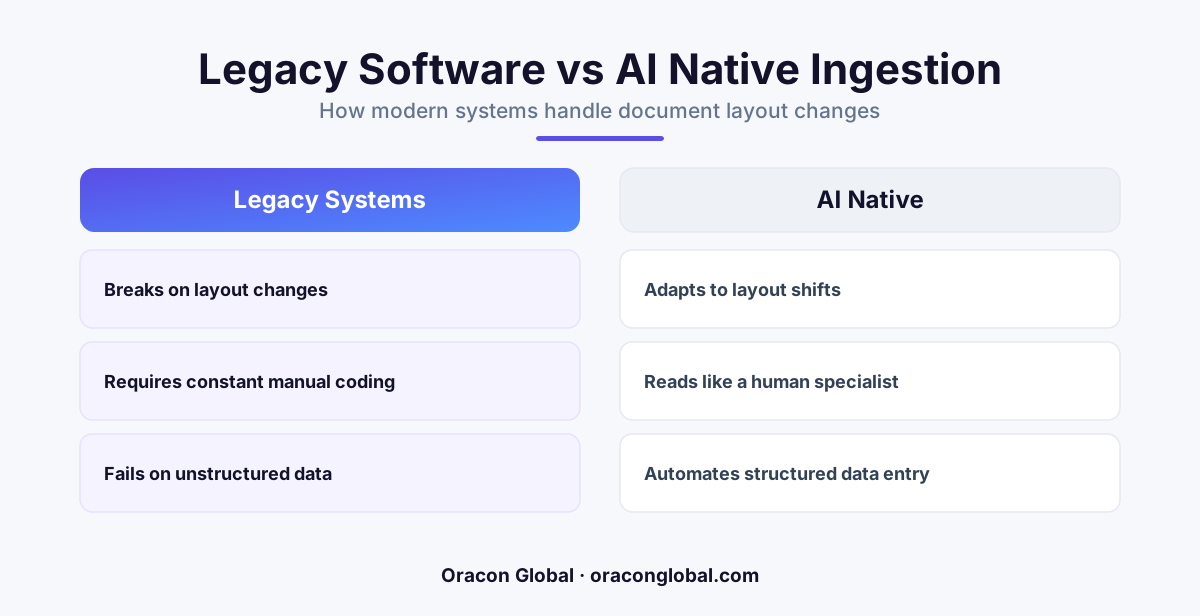
Standard file parsers rely on rigid, coordinate-based templates that break the moment a vendor moves a table or shifts a column. An AI-native file ingestion pipeline uses large language models and structured extraction layers to interpret the meaning of a document, ensuring your database receives clean, structured data regardless of visual layout changes.
Every operations team has a hidden bottleneck: the daily ritual of opening emails, downloading attachments, and manually copying data into an ERP or CRM. Whether it is bills of lading, supplier invoices, medical intake forms, or financial sheets, businesses run on files. And those files are almost always messy.
For years, the standard engineering response to this problem was to build custom file parsers. Engineers wrote rigid scripts to extract data from specific coordinates on a PDF or mapped exact column headers in a CSV. But these brittle pipelines share a fatal flaw: the moment a vendor changes their layout, updates their software, or adds a new column, the parser breaks, silent failures occur, and operations halt.
To scale your business without scaling your administrative headcount, you need an architecture that reads documents more like a human and less like a fragile script. You need an AI-native file ingestion pipeline.
The Structural Flaw in Traditional File Parsing
Traditional file ingestion relies on hardcoded rules. A classic Python parser might look at an invoice PDF and say, "Extract the text located exactly 200 pixels from the top and 450 pixels from the left." This works perfectly until a supplier adds a small promotional banner at the top of their invoice, pushing the entire page down by 20 pixels. Suddenly, your parser is reading blank space, or worse, grabbing the wrong numbers and dumping them into your accounting database.
CSV files are no safer. If a partner sends a spreadsheet with "Client Name" instead of "Customer_Name" as the column header, the automated script throws an unhandled exception. The developer has to rewrite the mapping logic, deploy a patch, and manually rerun the failed jobs.
This endless cycle of building and maintaining custom templates creates massive technical debt. As your business grows and partners with more vendors, your engineering team spends more time babysitting old data pipelines than building new features.
What Is an AI-Native File Ingestion Pipeline?
An AI-native file ingestion pipeline swaps rigid, coordinate-based rules for intelligent, semantic understanding. Instead of looking for text at specific coordinates, it uses large language models (LLMs) combined with structured extraction layers to read and comprehend the document as a whole.
When a document enters an AI-native pipeline, the system performs a multi-step process to ensure data integrity:
- Multi-Format Normalization: The pipeline accepts PDFs, PNGs, Word files, or CSVs and extracts their raw textual and visual content.
- Semantic Mapping: The AI identifies key data points based on context, not position. It understands that "Total Due," "Amount Outstanding," and "Balance" all point to the same database field.
- Deterministic Schema Validation: The extracted data is forced into a strict, predefined JSON format that your database expects.
- Logical Verification: The system runs hardcoded code checks to verify that the extracted line items actually sum up to the listed total before writing anything to your database.
The Architecture: How It Works Under the Hood
Building a production-grade file ingestion pipeline requires a careful balance between the flexibility of generative AI and the predictability of traditional software. You cannot simply send a raw PDF to an LLM and hope for the best; you need structured guardrails.
1. Document Pre-processing and OCR
First, the file is ingested through an API gateway or directory listener. For scanned images and PDFs, a high-accuracy Optical Character Recognition (OCR) engine extracts the raw text layout. If the document is highly visual, like an engineering blueprint or a complex multi-column table, a multimodal model analyzes the document's visual structure directly.
2. Structured Extraction and Schema Enforcement
Once the raw text is extracted, it is passed to a specialized extraction model. Using tools like Pydantic or JSON Schema, developers define the exact structure the database requires. The AI model is constrained to only return data that matches this schema, ensuring that nested objects, arrays, and data types (like floats and dates) are formatted correctly every single time.
3. Validation and the Human-in-the-Loop Gate
Before the parsed data hits your production database, it passes through a deterministic validation layer. If the invoice line items do not add up to the total, or if a tax ID does not match standard regulatory formats, the system automatically routes the document to an exception queue. A human operator can then review the flagged discrepancies on a clean dashboard, make the correction with a single click, and allow the pipeline to complete.
Why Your Business Needs to Transition Today
Transitioning to an AI-native model for file processing provides immediate operational benefits that scale alongside your transaction volume.
Zero Vendor Onboarding Friction
When you onboard a new supplier or client, you no longer need to write a new custom parser or configure templates. The AI handles the new layout automatically because it understands the business concepts (like prices, quantities, and addresses) rather than the page coordinates.
Drastic Reductions in Manual Data Entry
Operations teams can transition from typing data line-by-line to simply auditing exceptions. This shifts their focus from low-value repetitive tasks to high-value problem-solving, increasing overall job satisfaction and operational throughput.
Cleaner, More Reliable Database Logs
Because the AI-native pipeline uses strict schema validation and logical mathematical checks before writing any data, you prevent corrupt, incomplete, or incorrectly formatted records from entering your core ERP or CRM systems.
Building Your Ingestion Pipeline with Oracon Global
Implementing a highly reliable, custom AI-native file ingestion pipeline requires deep software engineering expertise and an understanding of modern AI integration. At Oracon Global, our senior in-house team builds robust, custom web and mobile applications, workflow automations, and AI-native ERP integrations designed to eliminate your manual bottlenecks.
We deliver production-ready software that integrates smoothly with your existing legacy systems. Best of all, we believe in true ownership: our clients retain 100% of the code and intellectual property we build for them. If you want to see how we approach complex automation challenges, you can try out our live AI demos directly on our website, or chat with Aria, our conversational digital assistant.
Ready to automate your messy document workflows and free your team from manual data entry?
Get in touch with the team at Oracon Global today, and let us design a robust, custom solution tailored to your operational needs.
Frequently asked questions
Why do traditional PDF and CSV parsers fail so often?
Traditional parsers rely on rigid coordinates or exact column matches, meaning a single shifted row or renamed header completely halts the ingestion process.
How does an AI-native file ingestion pipeline differ from OCR?
Basic OCR only converts images into raw text; an AI-native pipeline actually understands the context, maps inconsistent terms to your database schema, and validates the data.
Do we need to build a new template for every vendor we onboard?
No, the AI model generalizes across different layouts, meaning it can process an invoice or manifest from a brand-new vendor without any layout-specific configuration.
How do we prevent the AI from hallucinating numbers or details?
The pipeline uses strict schema validation and deterministic programmatic guardrails, flag-marking any data that fails validation for human review.
Read next
Beyond Chatbots: How to Build AI Agents That Actually Do Work for Your Business
Most businesses use AI to answer questions. Here is how to build custom AI agents that actually take action, connect to your internal tools, and handle complex workflows.
Beyond the Wrapper: How to Build Custom AI Agents for Business That Actually Work
Many businesses invest in basic AI wrappers only to find they lack the security and context needed for real work. Here is how to build custom AI agents that integrate deeply with your workflows and databases.
Enterprise AI Maintenance Costs: Budgeting for Year Two and Beyond
Building an AI system is only half the battle. Discover the practical, ongoing operational costs of enterprise AI, including token management, model drift, and continuous security audits.
Oracon Global builds production-grade AI agents, automation and apps — and you own the code and IP. Tell us what you want to automate.
Book a call →See our work