

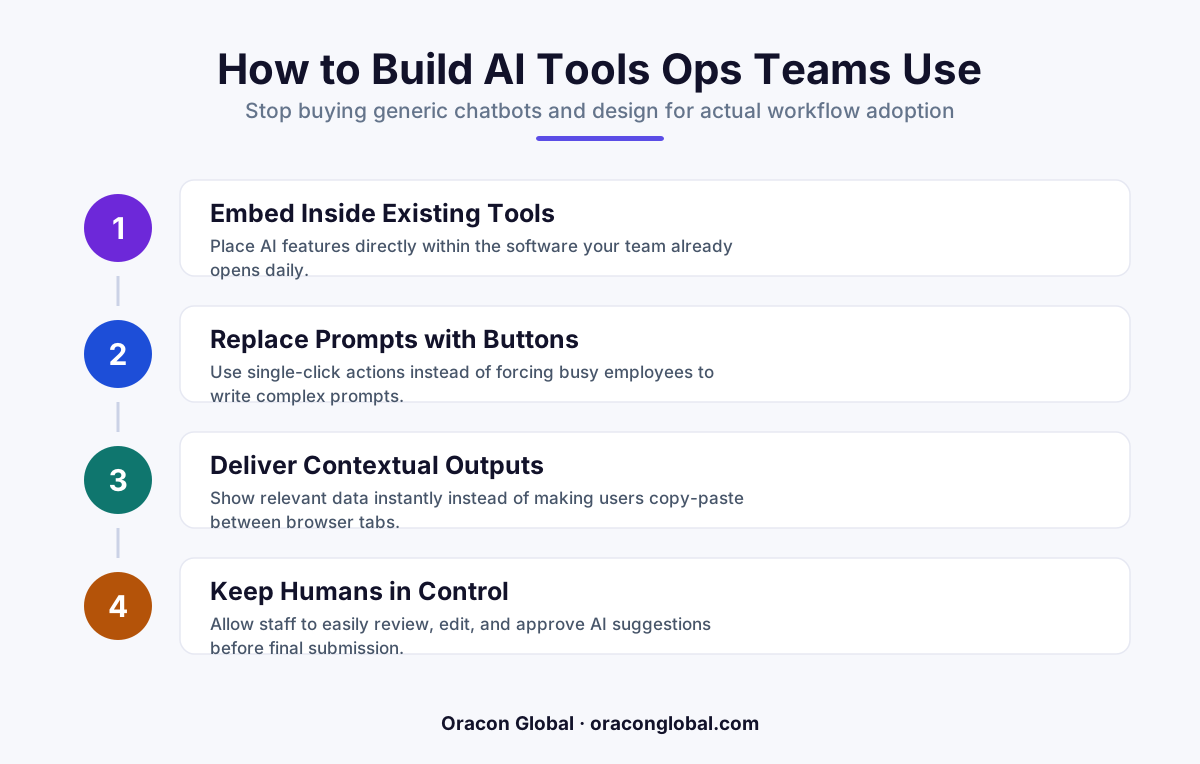
Operations teams reject AI when it introduces extra context-switching and cognitive load. To drive real adoption, drop the open-ended chat boxes and build embedded, single-click AI actions directly into their existing daily software workflows.
You paid for the premium seat licenses. You ran the department-wide launch demo. The slide deck showed hours of saved time, and everyone in the room nodded. Yet, three months later, your usage dashboards tell a quiet, frustrating story: your operations team is barely logging into your new AI tools.
When pressed, team members say they are "still testing it" or that they use it "here and there." The reality is simpler: they have quietly reverted to their old, comfortable spreadsheets and legacy workflows. The software has become expensive shelfware.
This is not an employee training problem, nor is it a lack of willingness to adopt modern technology. It is an interface and design problem. If you want your operations team to adopt AI, you have to stop giving them empty text boxes and start building interfaces that fit the physical shape of their daily work.
The Cognitive Friction of the Empty Prompt Box
Most commercial AI applications are built around a conversational chat interface. While a generic search bar or chat box is highly flexible, it demands a massive amount of mental energy from an operator who is trying to clear a queue of two hundred tasks before 5:00 PM.
To use a chat-based tool for operational AI adoption, an employee must perform several manual, low-value actions:
- Context Switching: Copying raw customer data, invoice details, or shipment logs from your core ERP or CRM system.
- Prompt Engineering: Remembering the exact phrasing needed to make the AI format the output correctly without hallucinating.
- Validation: Pasting the AI output back into their primary screen and manually checking that no data was corrupted during the transfer.
When an operator is evaluated on speed and accuracy, this back-and-forth dance is simply too risky and slow. They quickly realize that doing the task manually takes the same amount of time as managing the AI, with far fewer steps and zero prompt-writing anxiety.
Design Workflows, Not Chatrooms
The secret to successful user-centric AI design is invisibility. The best AI tools do not look like a robot companion sitting next to your work; they look like a smarter version of the buttons your team already clicks.
Instead of forcing your staff to visit a separate browser tab to query an LLM, the intelligence should be baked directly into their existing workflow interface. For example, if an operator is reviewing a disputed vendor invoice, they should not have to copy-paste the terms to ask an AI if they match. They should see a simple, clear visual badge next to the line item saying "Mismatch Flagged" with a single click to approve or reject the automated correction.
By moving the AI backend behind deterministic, structured UI components, you reduce the user's operational path from a complex multi-step writing exercise to a simple point-and-click decision.
Three Rules for Designing AI Interfaces People Actually Use
Transitioning from generic chat wrappers to deeply embedded workflow automation requires a shift in how you structure your business applications. Here are three design rules to guide your next build:
1. Replace Prompts with Actions
Your operations team should never have to write a paragraph to get a result. Instead of an open text box, provide structured input fields, dropdown menus, and pre-packaged action buttons like "Summarize Dispute," "Draft Policy Exception," or "Verify Address." The underlying software should handle the prompt construction silently in the background.
2. Keep the Human in the Decision Loop
Operations teams are rightfully paranoid about mistakes. If your AI tool acts autonomously in a black box, your team will turn it off out of fear of breaking business logic. Always present AI outputs as drafts or recommendations that require a single-click human confirmation before writing to your production database.
3. Meet Them Inside the Primary Screen
If your team spends 90% of their day inside an inventory management portal or a custom CRM, that is exactly where your AI features must live. Every time an employee has to open a new browser tab to access an AI capability, adoption drops by half.
How We Build Native AI Workflows at Oracon Global
At Oracon Global, we build custom web and mobile applications, AI agents, and AI-native ERP systems that feel natural to your staff from day one. We believe that software should adapt to your human team, not the other way around. Our senior in-house engineering team designs and delivers custom software worldwide, ensuring that every tool we build is deeply aligned with your actual physical workflows.
When you build with us, we work to deeply understand your operations software friction, mapping out your current databases, manual steps, and decision points. We then design and build tailored interfaces that put the power of autonomous AI behind simple, clean, and intuitive user experiences. Best of all, you own 100% of the code and intellectual property, meaning your custom operational tools remain a core asset of your business forever.
If you want to see how this works in practice, you can play with the live AI demos on our website, or interact with Aria, our own website assistant, to experience intuitive, structured AI design firsthand.
Stop Buying Licenses and Start Building Assets
Buying off-the-shelf software licenses for generic tools and hoping your team figures out how to use them is an expensive gamble. True operational efficiency does not come from giving your team more software to manage—it comes from eliminating steps in the software they already have.
By designing highly integrated, single-click AI interfaces, you remove the hidden cognitive friction that causes teams to quietly abandon technology. You replace anxiety with speed, and generic chat with highly targeted business outcomes.
Ready to build custom AI tools and workflow interfaces that your operations team will love to use every day? Contact the team at Oracon Global today to discuss your project.
Frequently asked questions
Why are operations teams ignoring the AI tools we purchased?
Most generic AI tools require copy-pasting data and writing complex prompts, which adds extra steps and cognitive load to an already busy workday instead of saving time.
What is a workflow-native AI interface?
It is an interface where AI capabilities are embedded directly into the buttons, fields, and screens your team already uses, eliminating the need to switch tabs or prompt a chatbot.
How do we transition from a chat-based AI tool to a functional interface?
Identify the exact operational decision points in your pipeline and replace open-ended prompt boxes with specific action buttons, pre-packaged suggestions, and clear approval toggles.
Who owns the IP when we build a custom AI workflow interface with Oracon?
You do. Oracon Global builds custom software where our clients own 100% of the code and intellectual property from day one.
Read next
Beyond Chatbots: How to Build AI Agents That Actually Do Work for Your Business
Most businesses use AI to answer questions. Here is how to build custom AI agents that actually take action, connect to your internal tools, and handle complex workflows.
Beyond the Wrapper: How to Build Custom AI Agents for Business That Actually Work
Many businesses invest in basic AI wrappers only to find they lack the security and context needed for real work. Here is how to build custom AI agents that integrate deeply with your workflows and databases.
Enterprise AI Maintenance Costs: Budgeting for Year Two and Beyond
Building an AI system is only half the battle. Discover the practical, ongoing operational costs of enterprise AI, including token management, model drift, and continuous security audits.
Oracon Global builds production-grade AI agents, automation and apps — and you own the code and IP. Tell us what you want to automate.
Book a call →See our work